~/project/plus1.md
plus1
Your plus one for meetings that matter
- Timeline
- September 18th - 20th, 2026
- Type
- Hackathon
- Team
- Donald Lee, with Vaibhav Sharma, Kevin Gu, Manav Joshi
- My role
- Agent that joins meetings, transcription & tool calling
- Hack the North 2026
- 🏆 Best Use of Browserbase
## overview
plus1 is the plus one you bring to meetings that matter. It joins your Google Meet as a real participant with a face and a voice, listens to the conversation, speaks up when you talk to it, and takes on action items while everyone is still in the room so you can focus on the discussion.
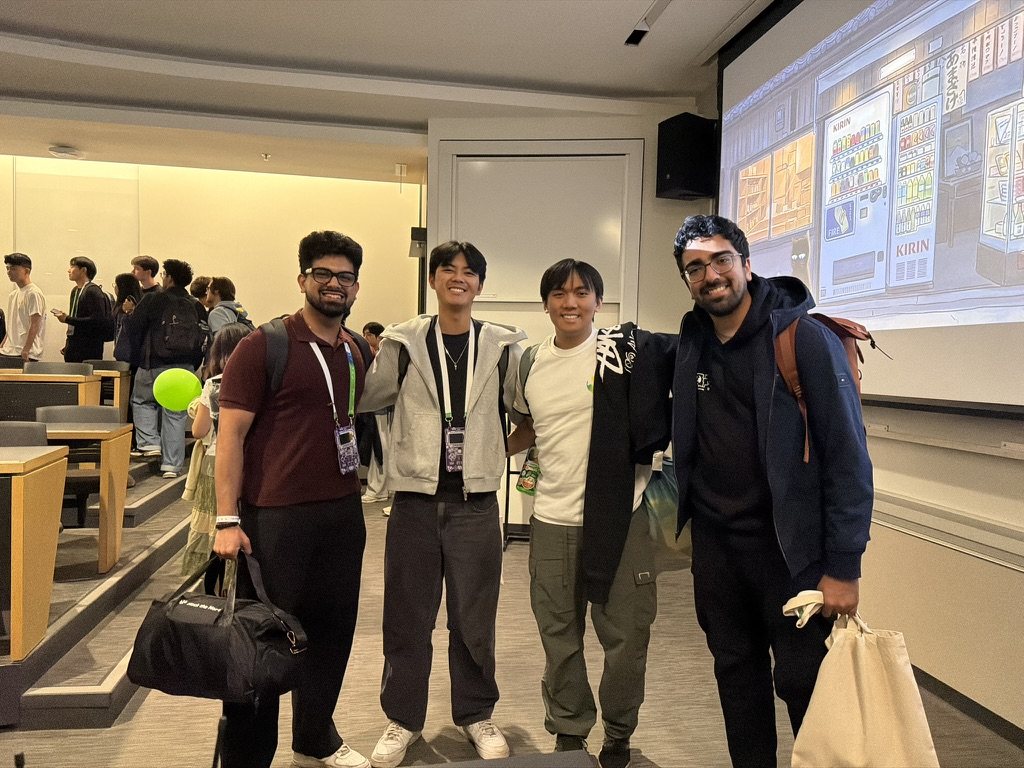
Four of us built it at Hack the North 2026, and we won Best Use of Browserbase!
## why-we-built-it
Why we built it
Most AI meeting assistants just record. They transcribe the call and send you a summary after everyone has left. By then, you've probably already done the follow-up work yourself.
We thought about the meetings where you wish you had one more person. A client call where you're talking and also trying to pull up numbers. A team sync where someone says "can someone file that?" and nobody does. plus1 is that extra person you invite along: it sits in the call, listens, and picks up the work so you don't have to context-switch away from the conversation.
## what-i-worked-on
What I worked on
I worked on getting plus1 into the meeting and on everything between it hearing something and doing something:
- The Playwright automation that joins a Google Meet as a signed-in profile, with the avatar on its camera and mic.
- The live transcription with speaker attribution, streamed over the OpenAI Realtime API.
- The agent brain: the decision layer that sorts every line into ignore, answer, or act, then chains the right tools.
- The Intact insurance quoting tools, the deterministic pricing engine, VIN lookup, PDF generation, and the email flow.
- A chat mode for talking to plus1 outside of a meeting, with the same tools and personality.
- Most of the dashboard that shows what it's thinking and why.
## working-backwards-from-the-user
Working backwards from the user
The first version of the agent brain was eager. It would jump in on anything that sounded like a question. In our first test call, it kept interrupting people mid-sentence. We needed to figure out how to get the AI to talk only at the right moments.
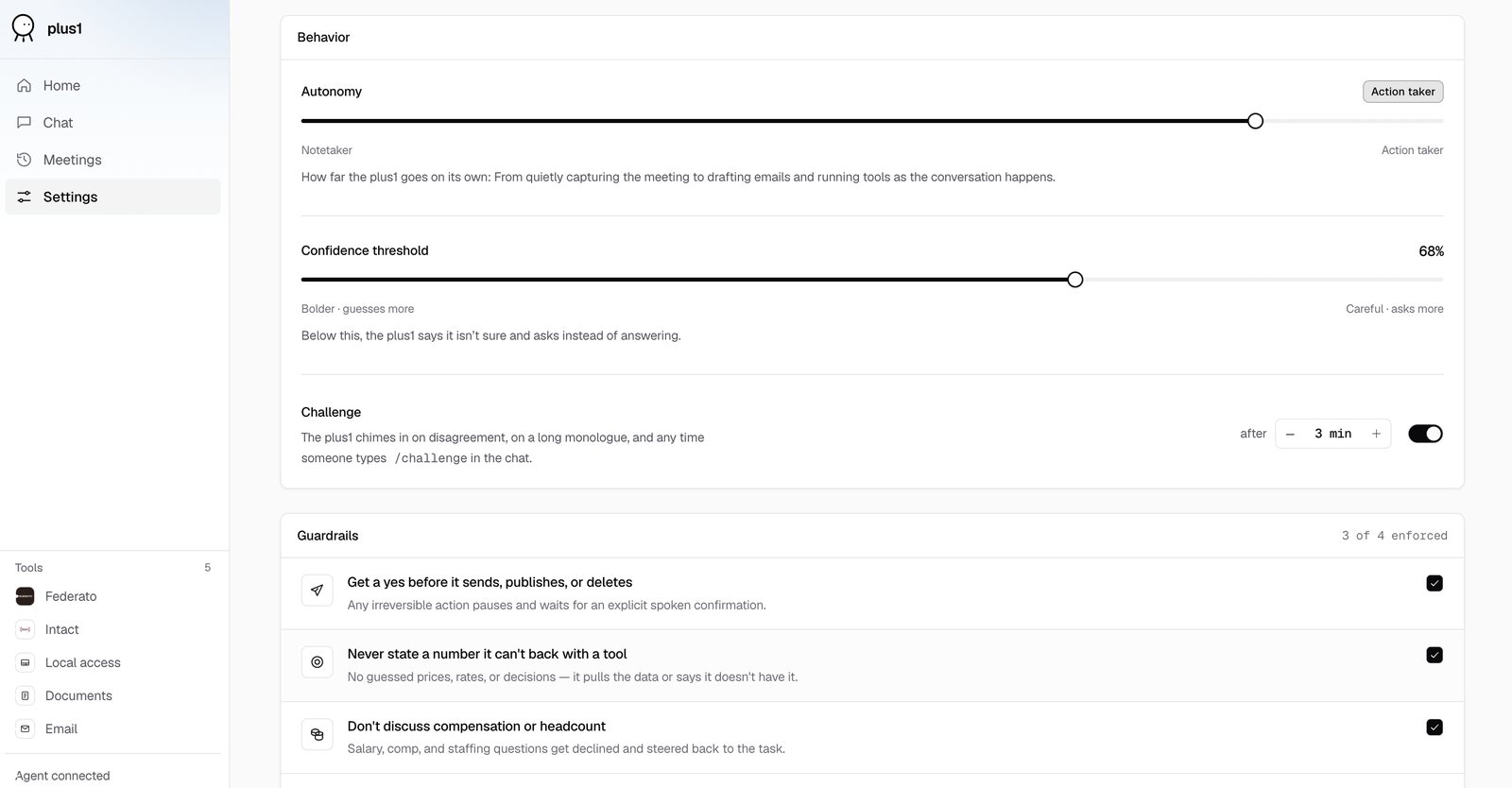
So I rewrote the decision layer around a simple question: what would a thoughtful colleague do right now? Most of the time, the answer is nothing. Listen, hold the context, and wait. The confidence gate I built reflects that: every utterance gets classified with a confidence score, and the default is to stay quiet. The agent only speaks when it's clearly been addressed, or when it finishes a task someone asked for.
## the-rules-we-discovered-by-testing
The rules we discovered by testing
After several trials, we created these rules:
- If someone says three words while it's talking, it stops. We tried two words first, but every "mhm" and "yeah" cut it off. Three was the threshold where natural back-channel noises get ignored but a real interruption gets caught.
- It doesn't listen to its own voice, so it can't get stuck in a loop replying to itself.
- Anything irreversible, like sending an email or submitting a form, needs someone to say "yes" out loud first. This one came from a test where it almost emailed a draft quote to a person we made up.
- If it's not sure, it asks instead of guessing. A wrong answer from an AI in a live meeting is worse than no answer, because people might act on it before anyone checks.
## one-on-one-calls
One-on-one calls
The "only speak when someone talks to you" rule worked well in a group, but in a call with just one other person, plus1 felt broken. That person is always talking to plus1, but they don't say its name every time. So plus1 checks how many people are in the call, and if it's just one person, it treats everything as directed at it unless it's filler like "one sec." This was a small fix, but it completely changed how the product felt in the most common use case.
## tool-calling-and-making-it-extensible
Tool calling and making it extensible
plus1 doesn't just answer questions. It does things. The agent brain decides what tool to call, and a single executor runs it. Every tool namespace, whether it's insurance quoting, document generation, browser automation, or email, plugs into the same interface. The brain picks the tool and passes a query; the executor routes it and returns a result the agent can narrate back to the room.
This matters because it means adding a new capability doesn't touch the decision layer at all. You write the tool, register it, and plus1 can use it in its next meeting. It's the same idea behind MCP: tools are separate from the model, and you can swap them in and out without changing how the agent thinks. That's what made it possible for four people to add tools in parallel without stepping on each other.
For the demo, we built tools for insurance quoting (with a deterministic pricing engine, so every number is auditable and explainable), VIN lookup through a real NHTSA API, PDF generation, email, underwriting, and browser automation. But the point was never the insurance. It was that plus1 could pick up any job you give it, as long as someone writes the tool.
## showing-its-work
Showing its work
The dashboard shows a live transcript, how plus1 sorted each line, the tools it called, and cards for anything it made. This was one of the first things I built, before most of the tools. If you can't see why an AI did something, it's hard to trust it, and trust matters a lot more when the AI is talking out loud in a room with your client.
Behind it, Playwright runs a Chrome window that joins the Meet. A HeyGen avatar and an ElevenLabs voice act as its camera and mic, OpenAI Realtime handles the speech-to-speech path, Gemini handles the decision classification, and Browserbase runs a cloud browser it can share with the call.
## key-learnings
What I learned
- 01
The best agents are not chatbots with tools. They need boundaries, observable reasoning, and graceful behavior when data is incomplete.
- 02
Most of the hard design questions were about holding back: what it does on its own, what it asks about first, and when it says nothing.
- 03
AI should own the ambiguous, conversational half of a workflow. Deterministic systems should own the consequential calculations.
- 04
Trial and error is how you find product-market fit. You have to put it in front of people, find out what annoys them, and shape the product around that.
## built-with
App
- Next.js
- TypeScript
- Node.js
- zod
Meeting
- Playwright
- Google Meet
- Browserbase
- Stagehand
AI & voice
- OpenAI Realtime API
- Gemini
- HeyGen LiveAvatar
- ElevenLabs
Data
- MongoDB Atlas
- Federato API
- NHTSA vPIC
## next-project
Fragments
Capture the moment that inspired you
read the write-up