~/project/fragments.md
Fragments
Capture the moment that inspired you
- Timeline
- September 12th - 14th, 2025
- Type
- Hackathon
- Team
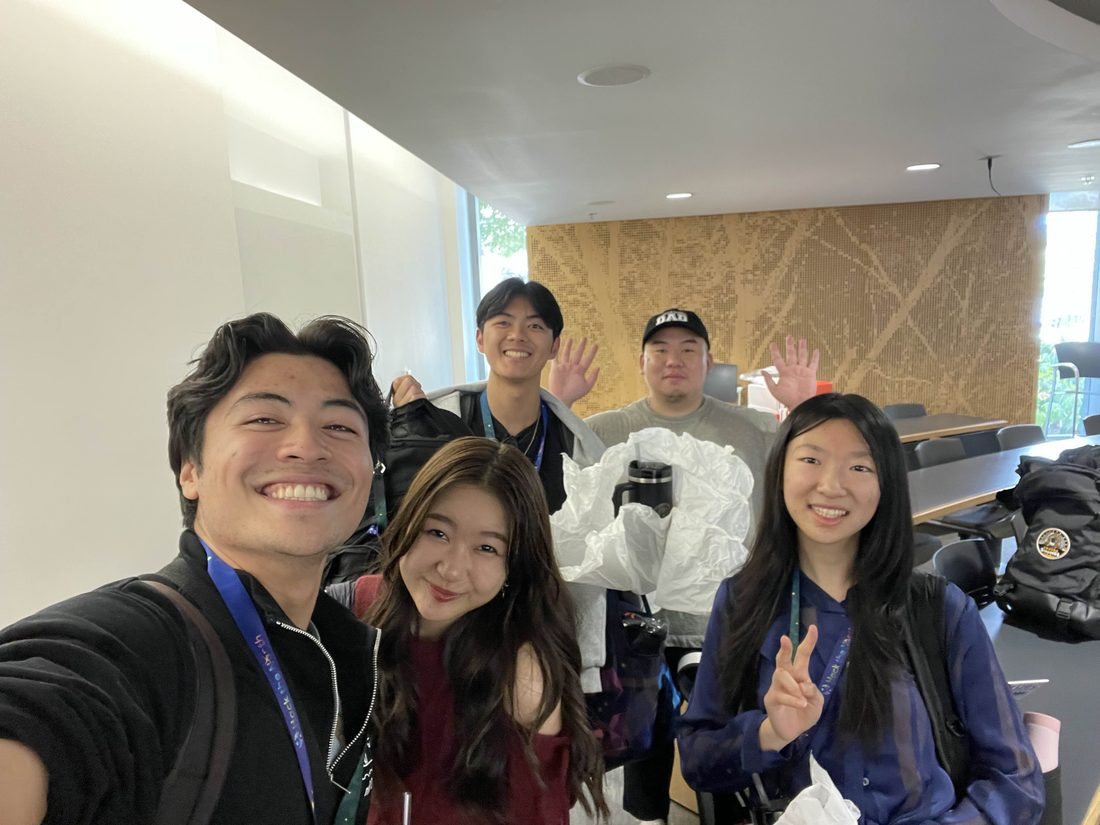
- Donald Lee, with Charity Grey, Paul Tiberghien, Rayna Lai
- My role
- The Chrome extension that records clips, and the AI that watches each clip to describe and tag it
- Hack the North 2025
- 🏆 Best Use of DynamoDB Streams (AWS)🏆 Best Use of Cohere API
## overview
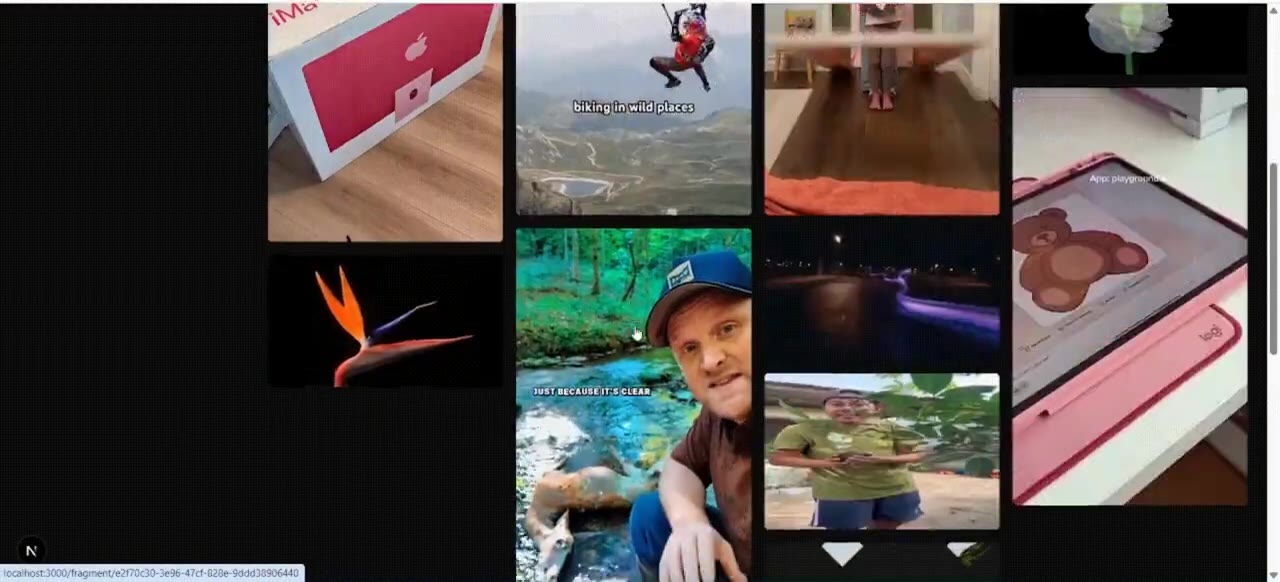
Fragments is a second brain for videos. A Chrome extension lets you clip the exact moment that inspired you on YouTube, TikTok, or Instagram, and a web app keeps all your clips tagged, searchable, and in one place.
We built it at Hack the North 2025 and won two prizes, one from AWS and one from Cohere. I built the Chrome extension and the AI that describes and tags each clip.
## why-we-built-it
Why we built it
Anything you make is built on everything you've watched and learned from. Whether it's video editing, frontend development, or dance, being a better creator starts with paying attention to great work.
But there's no good way to save the moment that actually mattered. A bookmark saves a 20-minute video. What you wanted was the eight seconds where you thought "oh, that's how they did it." A month later, you're scrubbing through the whole thing trying to find that part again, if you even remember which video it was.
In most creative fields, a video shows you a lot more than words can. So we built a tool that captures the exact moment, right where you found it.
## what-i-worked-on
What I worked on
I built the Chrome extension and the AI that describes and tags each clip. The extension is the core of the product. If saving a clip means opening another app, switching tabs, or uploading a file, people won't do it. The button has to be right there, on the video, at the moment you feel something is worth keeping.
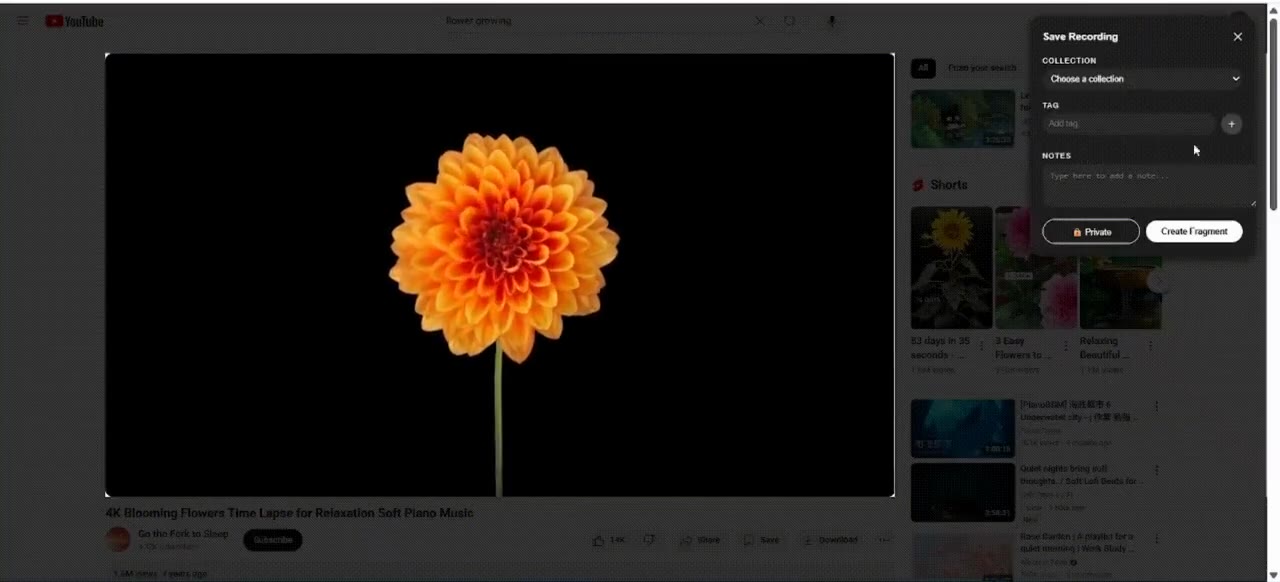
With the extension installed, a record button shows up on any video. Click it, and a dark overlay shows a timer with stop and delete buttons. When you stop, a short form lets you add the clip to a collection with tags and notes so you remember why you saved it.
## recording-across-three-platforms
Recording across three platforms
The extension records by calling captureStream() on the video element, which gives you a clean clip of just the player. It works on YouTube, TikTok, and Instagram.
## handling-infinite-feeds
Handling infinite feeds
YouTube loads all its videos when the page opens. TikTok and Instagram don't. They load new videos as you scroll, which means buttons added when the page first loads miss everything after the first few.
I used a MutationObserver to watch the DOM for new video elements and inject a record button on each one as it appears. The observer runs continuously, so no matter how far you scroll, every video gets a button. It also skips videos that already have one, so you don't end up with duplicates.
## making-clips-searchable-with-ai
Making clips searchable with AI
When someone saves a clip, they don't always add good tags or notes. A lot of people just hit save and move on. But a month later, they need to find that clip, and all they remember is what was in it.
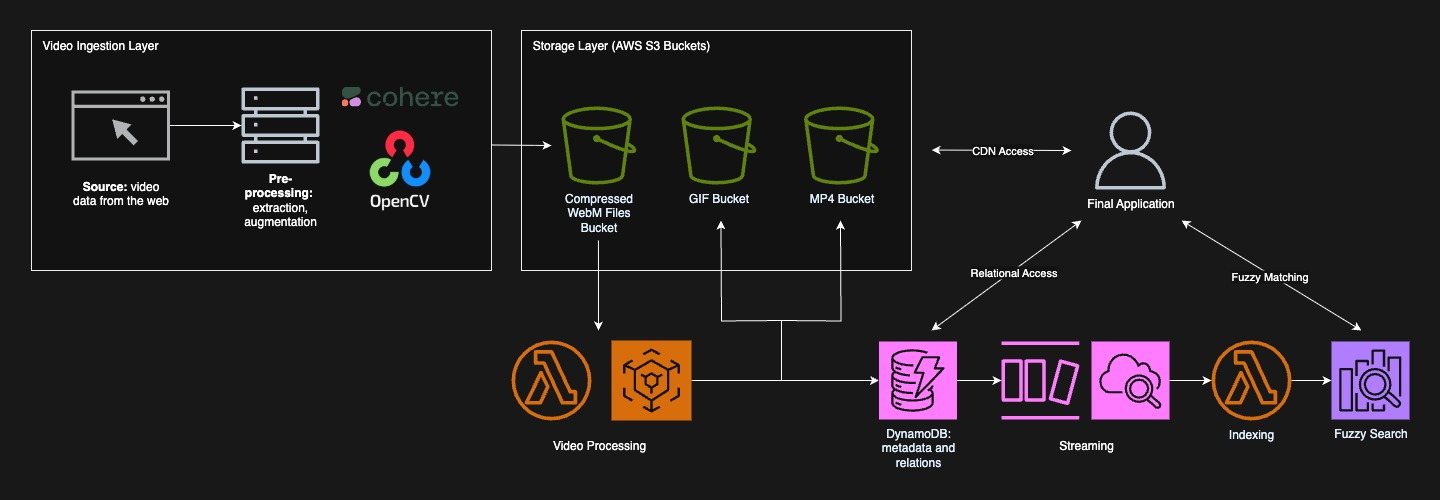
So I built a pipeline that takes a frame from the clip every 2 seconds and sends them to Cohere's Aya Vision model. The model writes a summary of what's happening in the clip and suggests tags, like "stop motion," "floating UI," or "whip pan." Those descriptions and tags get indexed in OpenSearch alongside the user's own notes, so you can find a clip by what's in it and not just what you called it.
The prompt I wrote asks the model to describe the clip as if explaining to a video creator, and to suggest editing instructions for recreating it. That way, the AI output doubles as a reference. You don't just find the clip, you get a starting point for how to do it yourself.
## the-result
The result
The AI descriptions and tags I generate feed into the search. A query like "dolly zoom" finds the right clip even if you never typed those words, because the vision model saw it and described it. That's what makes the second brain work: you don't have to be organized when you save something, because the AI organizes it for you.
## key-learnings
What I learned
- 01
Saving something has to take almost no effort. Every extra step is a reason not to bother, which is why the record button sits right on the video.
- 02
Plan for the platforms that don't play nice. TikTok and Instagram needed a different recording path than YouTube, and finding that out early kept it from becoming a demo-day surprise.
- 03
AI descriptions are only useful if they're searchable. Generating a summary nobody can find is wasted compute.
## built-with
Frontend
- Next.js
- React
- TypeScript
- Tailwind CSS
- Chrome Extension
- MediaRecorder API
Backend
- Python
- FastAPI
- OpenCV
- FFmpeg
- Boto3
AWS
- S3
- Lambda
- DynamoDB Streams
- OpenSearch
AI & auth
- Cohere Aya Vision
- Auth0
- Vercel
## next-project
Provent
A productivity Chrome extension
read the write-up